Alertable

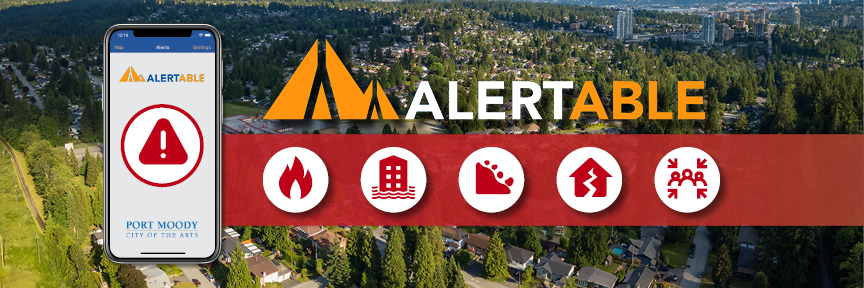
Alertable is an opt-in emergency notification system that provides alerts and instructions during emergencies and threats to public safety.

The City of Port Moody uses Alertable to deliver urgent information directly to residents, businesses, and visitors in the event of a critical emergency. Sign up for free emergency alerts to help you, your family, and your neighbours stay safe during such emergencies as wildfires, floods, landslides, earthquakes, evacuations, water advisories from health authorities, or hazardous material spills.

Alertable notifications share critical information that let you know:

  • ​what the emergency is
  • where the emergency is occurring
  • how to stay safe
  • when the event is over or new information is available

In addition to notifications from the City, you will also receive geographically relevant alerts from sources like:

Download and subscribe

Register to receive timely updates during emergencies by email, text message, or phone call and download the free Alertable app for iOS and Android devices. Read below or review Alertable's user guide (PDF) to learn how to set things up.

If you’re new to Alertable and want to download the Alertable app for your smart phone, tablet, desktop computer, or smart speaker: 

  1. Visit​ alertable.ca/signup or search for "Alertable" in the app store.
  2. Select the icon for your iOS, Android, tablet, or smart speaker.
  3. Open the application and follow the directions provided.
  4. Select ‘Allow’ to give Alertable permission to send alerts.
  5. Search and select locations that apply to you. This should include Port Moody and any other municipalities you visit regularly.
  6. You will now receive alerts that are issued for that geographic area/landmark.
  7. Set your alert preferences: You can turn on/off alert categories based on type, severity, and sound level.

If you’re new to Alertable and want to subscribe to email / SMS text / phone calls: 

  1. Sign up for email and SMS text alerts.
  2. Enter your email address or phone number for SMS texts or calls.
  3. Search and select locations that apply to you. 
  4. Depending on your selection, you will receive an email, SMS text, or phone call with an access code to confirm your sign up.
  5. Input the access code once received.
  6. After inputting the code, you will receive a confirmation that you are signed up to receive email, SMS texts, or phone calls alert from the City of Port Moody. 

If you’re already signed up for Alertable, update your preferred location settings: 

  1. Open the Alertable app on your smart phone, tablet, or computer and sign in.
  2. Locate the Settings tab.
  3. Select the Locations tab.
  4. Search and select locations that apply to you, including Port Moody.
  5. You can add or remove any locations you are no longer interested in receiving alerts.
  6. Review your alert preferences. You can turn on/off alert categories based on type, severity, and sound level.

About the app

Alertable is a made-in-Canada app that provides a variety of notification options including text, email, phone, website, mobile app, social media, home smart speaker, and more. Alerts are fast, reliable, and easy to see and hear. Alerts sent through the app will not replace standard emergency notification methods such as website alerts, social media posts, traditional and electronic signage, and door knocking.

Learn more

For more information and frequently asked questions about the Alertable app, visit their website.

Get notifications about critical information so you can stay safe during emergencies.